
Feature blog.google
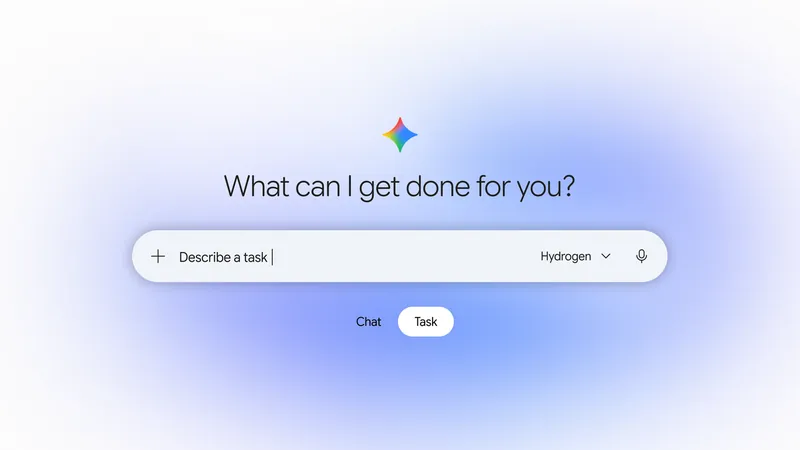
Google rolls out Gemini 4 Hydrogen for complex task automation
Gemini can now handle multi-step tasks like scheduling, bill management, and shopping by connecting to your emails, calendar, and payment methods.
- Announced
- Published
- For
- Power users
What was announced
- Google says Gemini is being updated to handle complex tasks like scheduling appointments, managing bills, and shopping for groceries.[1]
- Google says Gemini saves time by connecting to your emails, calendar, and payment methods while keeping data secure in isolated environments.[2]
- Gemini operates within secure, hardware-isolated virtual machines to protect private data and account information.[3]
- Users can switch the toggle from Chat to Task in the Gemini app, text on Android or iOS, or forward emails to [email protected].[4]
- In the U.S., users can also forward emails to [email protected] or text Gemini to use the new capabilities.[5]
What it means
- The free rollout covers six countries; availability in other regions is not mentioned in the announcement.
- The hardware-isolated VM design is a key consideration for teams evaluating this for business use with sensitive data.
- Email forwarding and texting are noted as starting in the U.S., suggesting other regions may follow later.
From the announcement
- [1]
We’re updating Gemini to handle complex tasks like scheduling appointments, managing bills, and shopping for groceries.
- [2]
By connecting to your emails, calendar, and payment methods, Gemini saves you time while keeping your data secure in isolated environments.
- [3]
Gemini operates within secure, hardware-isolated virtual machines to protect your private data and account information.
- [4]
You can try these new capabilities today by switching the toggle from Chat to Task in the Gemini app, texting us on Android or iOS, or forwarding emails to [email protected].
- [5]
Starting in the U.S., you can also forward emails to [email protected] or text Gemini by following these instructions:
Source: Put Gemini to work for you (blog.google)