
新モデル github.blog
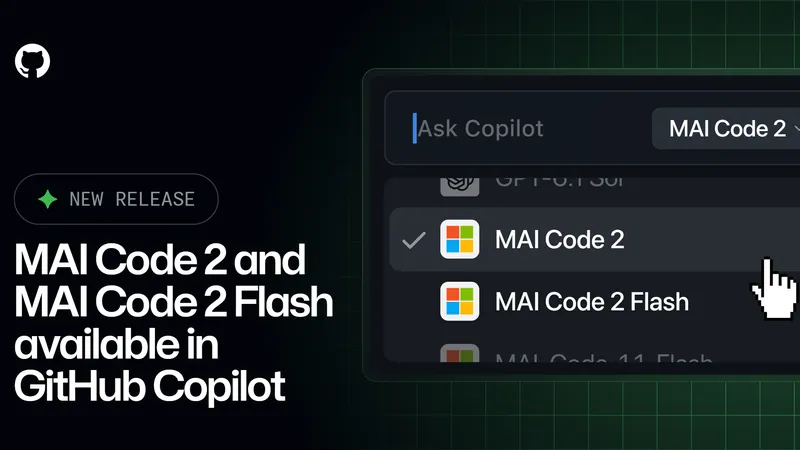
MAI Code 2、FlashがGitHub Copilotに登場
MAI Code 2とFlashがGitHub Copilotに追加され、プランや入口に応じてモデルを選択できる。
- 発表
- 掲載
- 編集
- 原 文人
- 対象
- 開発者向け
発表の内容
- MAI Code 2とMAI Code 2 FlashがGitHub Copilotに登場[1]
- MAI Code 2はCopilot Pro、Pro+、Max、Business、Enterpriseで利用可能[2]
- MAI Code 2 FlashはCopilot Free、Studentなどでも利用可能[3]
- 軽量な支援から複雑なエージェント型開発へ拡大したとしている[4]
- Visual Studio Code、Copilot CLI、github.comのモデルピッカーで選択可能[5]
- Copilot Enterprise、Business管理者はCopilot設定のモデルポリシーでアクセス管理可能[6]
ポイント
- MAI Code 2はPro、Pro+、Max、Business、Enterpriseで、FlashはFreeやStudentでも選べる。
- Visual Studio Code、Copilot CLI、github.comのモデルピッカーから選べるため、既存の作業環境で切り替えられる。
- Copilot Enterprise、Businessでは管理者がモデルポリシーでアクセスを管理できるため、導入範囲を絞れる。
原文
- [1]
The next generation of Microsoft AI (MAI) coding models has arrived in GitHub Copilot.
- [2]
MAI Code 2: Copilot Pro, Pro+, Max, Business, and Enterprise
- [3]
MAI Code 2 Flash: Copilot Free, Student, Pro, Pro+, Max, Business, and Enterprise
- [4]
expanding from lightweight coding assistance to complex, agentic software engineering.
- [5]
You can select the models in the model picker in: Visual Studio Code Visual Studio Copilot CLI GitHub Copilot cloud agent GitHub Copilot app github.com
- [6]
Copilot Enterprise and Copilot Business plan administrators can manage access to MAI models through the model policy in Copilot settings.
出典:MAI Code 2 and MAI Code 2 Flash in GitHub Copilot(github.blog)